
Intro to Progressive Web Apps (PWAs)

Zachary Bowman
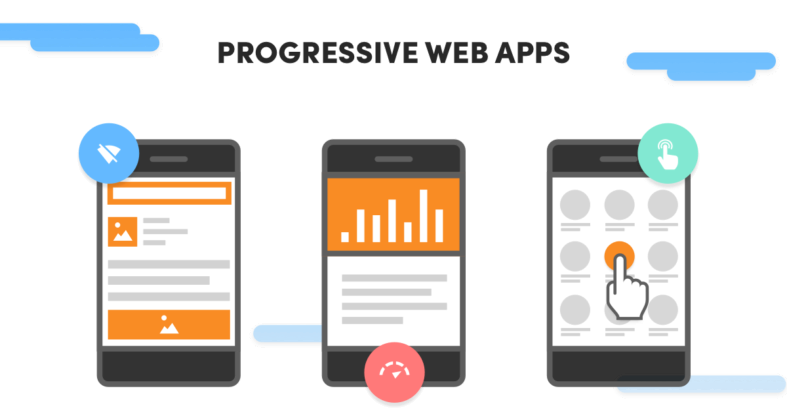
Source: FutureMind
PWA? I've Seen That Before...
Whether you’re a designer, a developer, a marketer, or a business owner, now that it’s 2020, you’ve most likely heard or seen the acronym PWA over your internet experience. However, this term is still relatively new in the web industry and is something still waiting to be fully taken advantage of. In this edition of the IWD Blog, we’ll begin to scrape off the first few layers of understanding PWAs, or Progressive Web Applications. We won’t be diving into the Hows of building PWAs in this post, but talk about from where the need arose, what PWAs are, and why they matter.
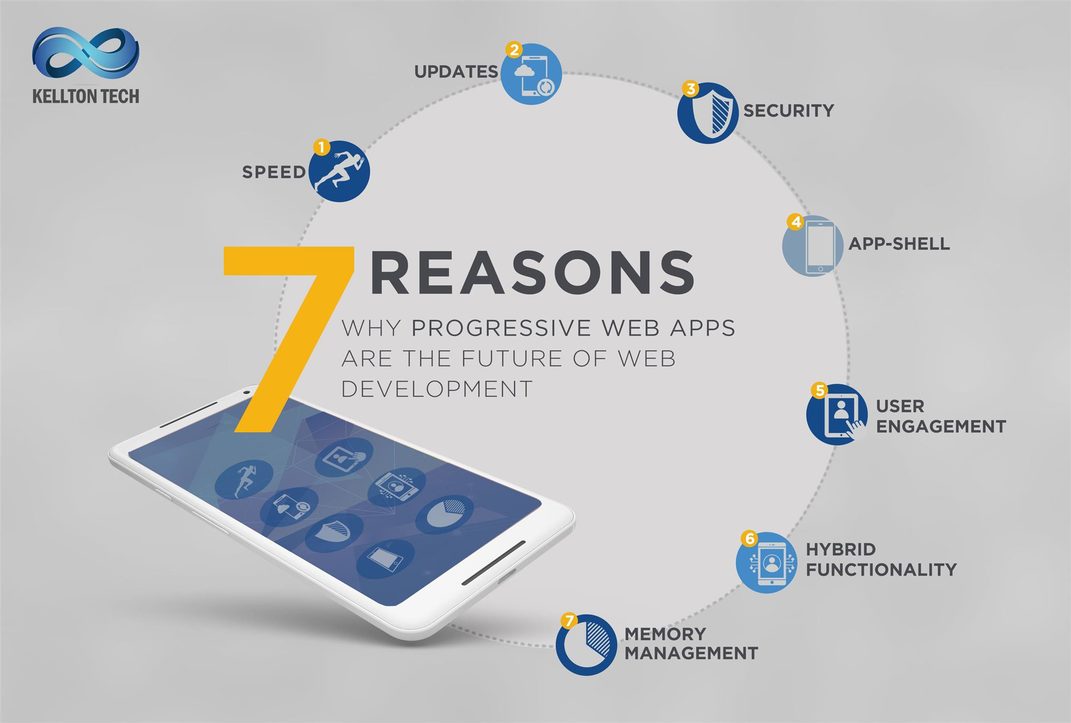
Source: Kellton Tech
How Did We Get Here?
Before we talk about PWAs, let’s take a peek at what we already have and interact with on a daily basis. When we access content online, usually it comes from one of two venues - a Web Application (or just website), and a Native Application (or just app). Each model has its own strengths for different situations.
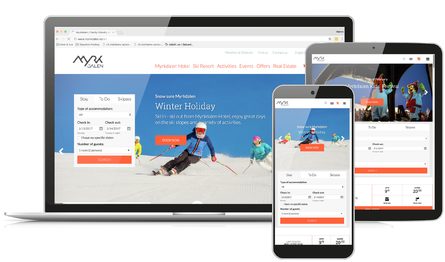
Source: Visit Group
Web Applications (Websites)
Web Applications, or websites in general, excel in the time it takes to access content. Accessing a Web App generally just takes a quick search followed by a click or two. It is much faster to visit a website rather than download and install a native app.
Also, web apps lend themselves to easy sharing due to the simplicity of link sharing (think how many times you’ve shared a link in the past month!). However, ignoring instances of browser caching, web applications require a network connection, which can be a hindrance at times.

Source: Search Engine Land
Native Applications (Apps)
Native Applications, or just Apps for most of us, excel in integrating with a device’s native ecosystem. Native Apps are wonderful in providing seamless, smooth and flowing user experiences. Native Apps can be made to perform offline as well, taking away a limiting factor of the Web Applications.
Furthermore, the ease and accessibility of having a Native App’s Icon on your homescreen is much easier to access than navigating back through your browser to find the content you need.
PWAs now exist to bridge the gap between the two technologies and offer better, richer, and more engaging experiences for the users.
So, What Really Are PWAs?
An important clarification is that PWAs are not new technologies. It’s not a specific “thing”, either. Rather, PWAs are representative of a shift in philosophy in the architecture of the web app. PWAs may not be obvious at first glance - in fact, some web apps don’t become PWAs until a certain criteria is met. For example, if a web app has the ability to work offline and still be fully functional, or can push notifications to the user’s device, it may qualify to be categorized as a PWA. According to Mozilla, there are at least eight metrics to hit to label an app as a PWA:
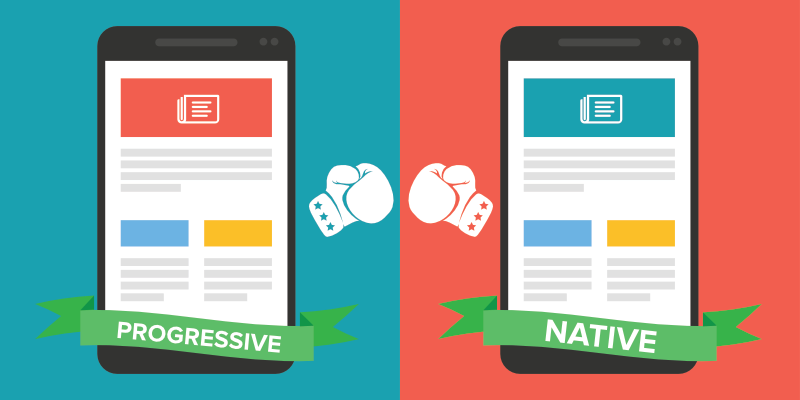
Source: AppInstitute
Discoverable
...so that contents can be found through search engines
Installable
...so that it's available on the device's homescreen
Linkable
...so that you can share it simply by sending a URL
Network Independent
...so it works offline or with a poor network connection
Progressive
...so it's still usable on a basic level on older browsers, but fully-functional on the latest ones
Re-Engagable
...so it's able to send and push notifications for new content when made available
Responsive
...so it's usable on any device with a screen and a browser — mobile phones, tablets, laptops, TVs, fridges, etc
Safe
...so the connection between you and the app is secured against any third parties trying to get access to your sensitive data
Don't Forget About...
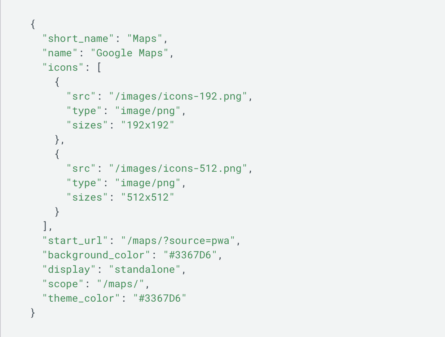
Source: Google Developers
Web App Manifests (WAMs)
Simply put, this file describes the resources your application will need to run properly when “installed” on a user’s device. WAMs are simple JSON files that tell your app how to behave. This is important for functionality because Chrome will only show “Add to Home Screen” if a WAM is detected.
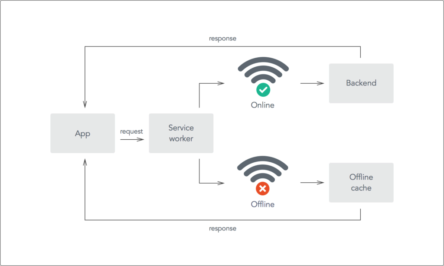
Source: Red Hat Developer
Service Workers
Services workers are Javascript Snippets that run in the background of your browser. The most important idea of service workers is that it allows a developer to make apps that support offline experiences. Service Workers merit a conversation on their own which we’ll save for another time. In the meantime, VISIT THIS PAGE to learn more about Service Workers in depth.
“A service worker is a script that your browser runs in the background, separate from a web page, opening the door to features that don't need a web page or user interaction. Today, they already include features like push notifications and background sync. In the future, service workers might support other things like periodic sync or geofencing. The core feature discussed in this tutorial is the ability to intercept and handle network requests, including programmatically managing a cache of responses.” - Matt Gaunt, developers.google.com
According to Google, PWAs Must Be:
Reliable
When a user launches their PWA from the home screen, the app should work perfectly the same regardless of a network connection. This is made possible by Service Workers, which allow browsers to pre-cache resources in order to offset dependability on network connections.
Fast
Simply put - PWAs can’t sacrifice performance. Google has long stuck to the 3 second rule - the idea that users bounce off a page if it takes longer than 3 seconds to fully load and become interactive. PWAs should not compromise speed or performance by being clunky, stuttery or visibly lagging.
Engaging
Users can install PWAs without ever having to visit the App Store. Users are treated to immersive, full screen experiences (without the browser window and search bar), and even can be notified on app activity with push notifications.
So Do PWAs Work Better? YES!
Konga
Konga was able to use Service Workers to send 63% less data for the initial page load, and 84% less when they completed the first transaction.
eXtra Electronics
Web Push Notifications helped eXtra Electronics increase their users engagement time by 100%, and increased full engagement by 400%!
aliExpress
Delivering a seamless, amazing UX allowed AliExpress increase conversions for all new users by over 100%!
Flipkart Lite
Flipkart Lite - India’s biggest Ecommerce site - increased conversions by 70% when they rebuilt their Ecommerce site as a PWA.
PWAs Work.
Clearly, the data shows that PWAs work. They increase engagement, polish user experiences, boost conversions and raise brand awareness. As PWAs continue to integrate into the full consumer market, be on the lookout for updates and improvements to the technology! There's always something new to learn. In the meantime, check out these links for more information to chew on.
https://developer.mozilla.org/en-US/docs/Web/Progressive_web_apps/Introduction
https://ionicframework.com/docs/intro/what-are-progressive-web-apps
https://developers.google.com/web/fundamentals/web-app-manifest
https://developers.google.com/web/fundamentals/primers/service-workers